OpenClinica 4 Stack 20.3 is scheduled to be deployed on 07 November 2026 from 9:00 AM–1:00 PM EST (UTC-5), during which the OpenClinica system will be unavailable.
Form Designer Usability Improvements
We've made Form Designer easier to use. You can now manage translations, write form logic, and set question display and layout without codes or documentation lookups.
Multilanguage Form Building:
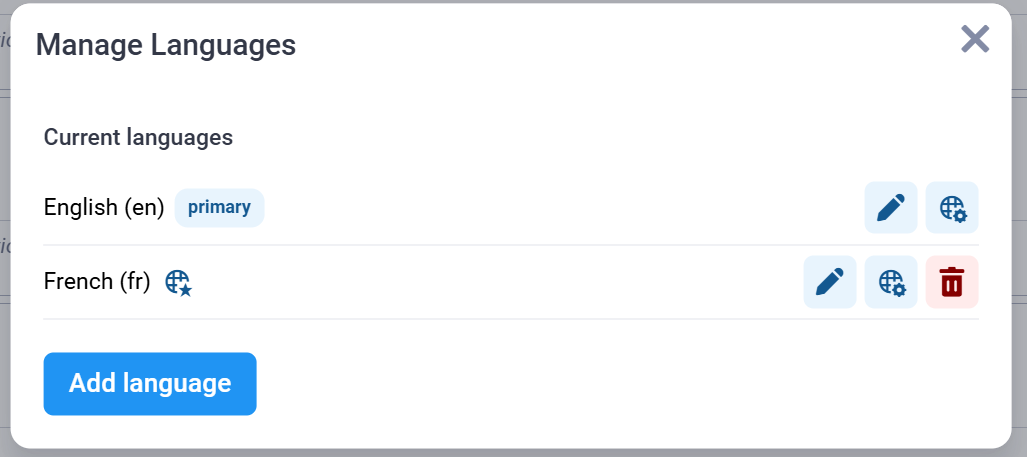
You can now define every language your form supports without leaving Form Designer. You can view and update loaded translations, or add new ones. The new Manage Languages view lets you:
- Set the form's primary language.
- Add other languages.
- Rename languages.
- Remove languages you no longer need.
AI Assistant for Form Logic:
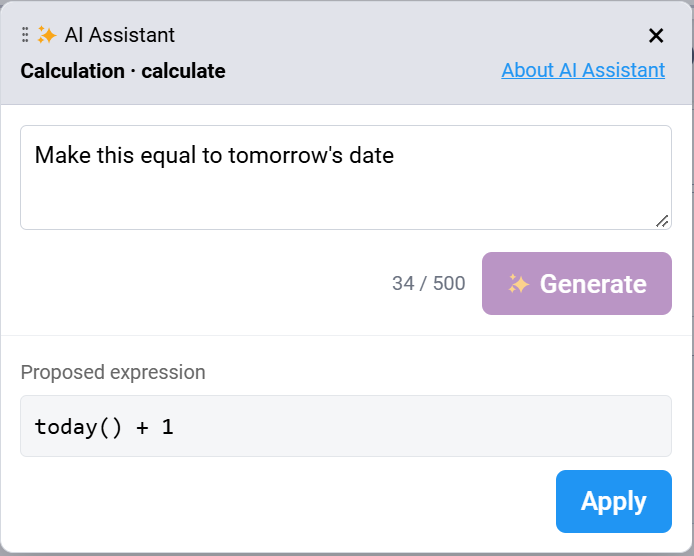
Describe the rule you want in plain English, and Form Designer writes the expression for you. The AI Assistant is available in all six logic panels on a question: calculation, default value, validation criteria, required, relevant, and repeat count.
To use it, open a logic panel, click AI Assistant, and type what you want the rule to do. For example: "require this field when status is active" or "calculate BMI from height and weight".
Question Display and Layout:
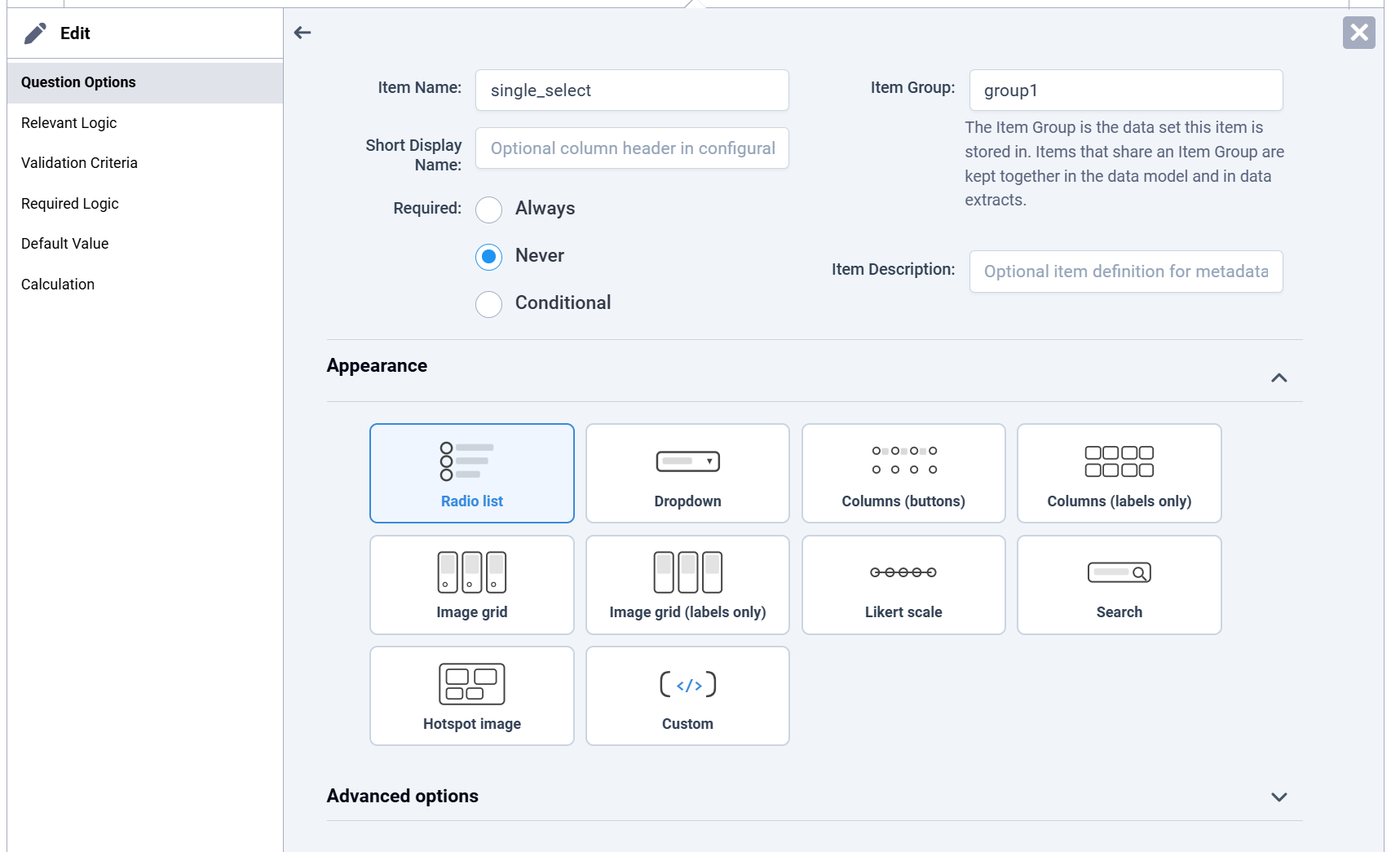
- Visual display picker: Every question type now shows its display options as labeled cards. You no longer need to look up appearance codes in the documentation.
- Layout and width you can see: You used to set a question's position on the page by entering a width code. Now a layout group shows how many columns it gives its questions, with a preview of each choice.
- General improvements: We've also made many smaller layout and usability improvements across Form Designer.
Dutch, Italian, and French Translations
Study Runner, the Authentication page, and the Participate Dashboard is now available in Dutch, Italian, and French, so more site staff can work in their own language.
Modules Page Code Tile Updates
We've updated the layout of the Code tile on the Modules page to prepare for WHODrug coding. The Medical Dictionary for Regulatory Activities (MedDRA) information on the tile also has a new layout.
The Code tile no longer shows the API key field. The field showed only asterisks (*), not the key itself. For security, the API key is not visible anywhere in OpenClinica 4 (OC4).
... and more!
See full release notes for Stack 20.3 here.
Was this article helpful?
That’s Great!
Thank you for your feedback
Sorry! We couldn't be helpful
Thank you for your feedback
Feedback sent
We appreciate your effort and will try to fix the article